
Main Content
COMMAND CENTER NTCIP:
Control your Boards from your Desktop or Mobile Device
Command Center, part of SolarTech’s WebSuite, a web-based application that provides users with a one-stop user-friendly solution to build, manage, and control their traffic safety equipment from any device with a web browser.
Command Center is the ultimate tool for traffic safety equipment fleet management. With Command Center, you can manage, monitor and segment your fleet from your office computer (Windows, Mac, or Linux). Command Center allows you to improve worker and driver safety, limit liability, and make more efficient use of time by organizing and managing your fleet from one central location.
Especially valuable for owners of large fleets of equipment, this software allows you to know exactly where each unit is at any moment. You can also check battery levels, change sign messages or check maintenance records without going on-site.
With Command Center, you can:
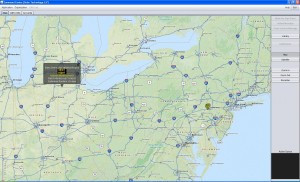
- Locate each board and panel using GPS
- Create, delete or change messages remotely
- Share messages between units
- Check battery status, and cellular or GPS reception
- Access logs of the messages displayed
- Broadcast a message to multiple units simultaneously (i.e., Amber Alerts)
- See energy generation and usage
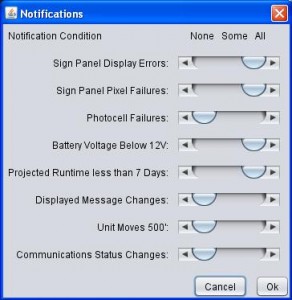
- Get notified if communication status changes
- Segment by job, type of sign, location of the sign, and/or by user access
- Test sign panel modules
Command Center on Your Mobile Device
 Accessing Command Center on your mobile device is simple! Just log in to your WebSuite account from any browser and click on the Command Center icon… that’s it!/p>